Inkside
Inkside is a learning tool. You paste your notes or ask ChatGPT about a topic, and it hands you a tidy handwritten study sheet: headings, key terms, formulas, tables and labelled diagrams, laid out like the best notes in class, as an editable Goodnotes notebook or a PDF.
Behind it is a document engine I wrote: its own language, a layout engine, a handwriting renderer, and an exporter that writes real Goodnotes ink.
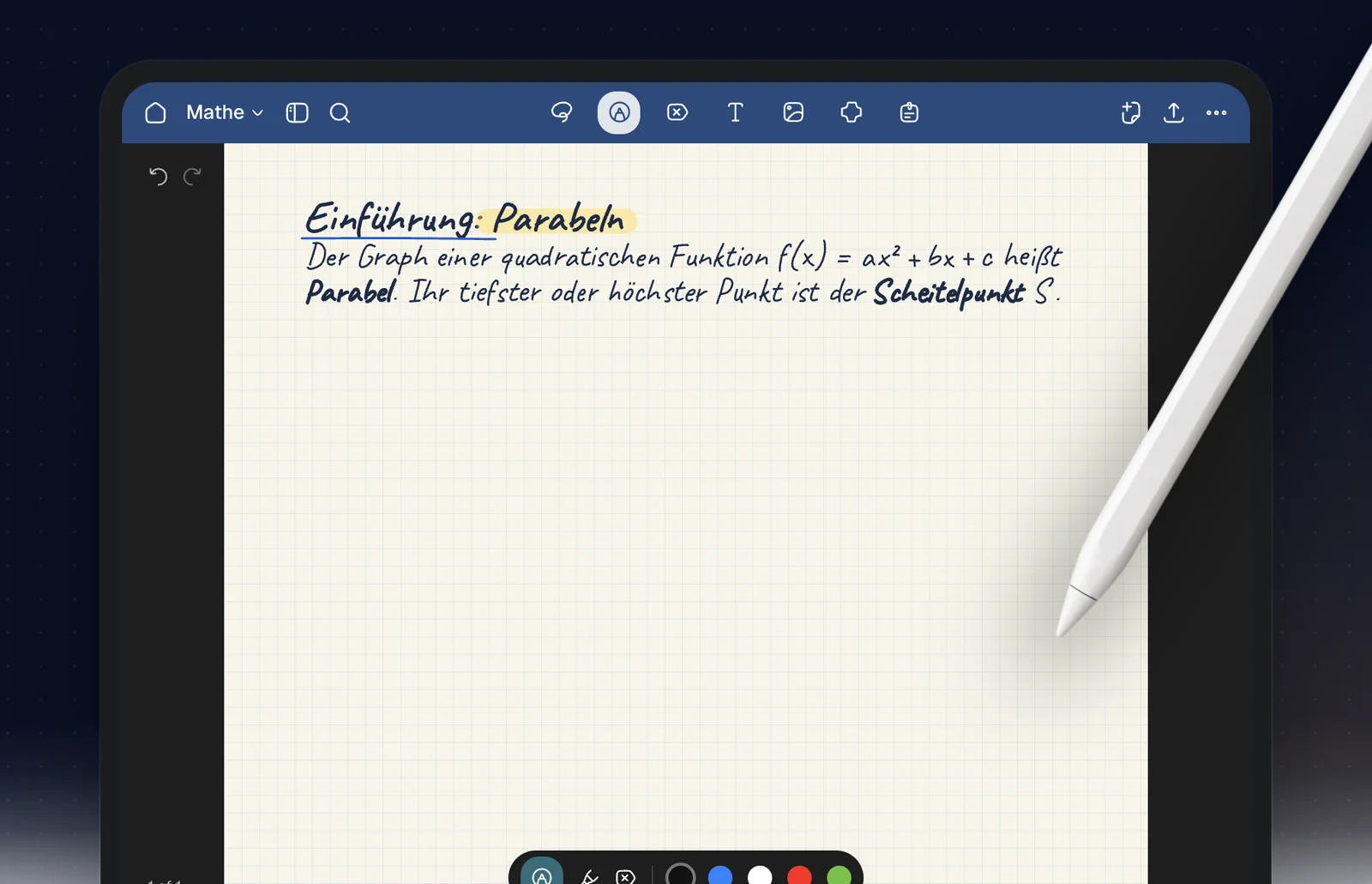
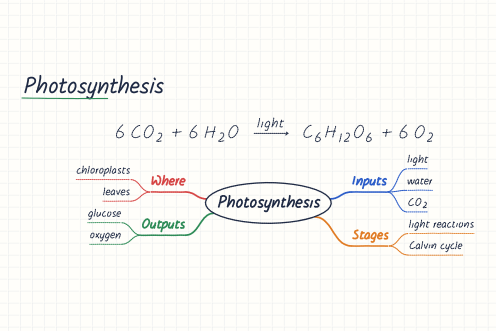
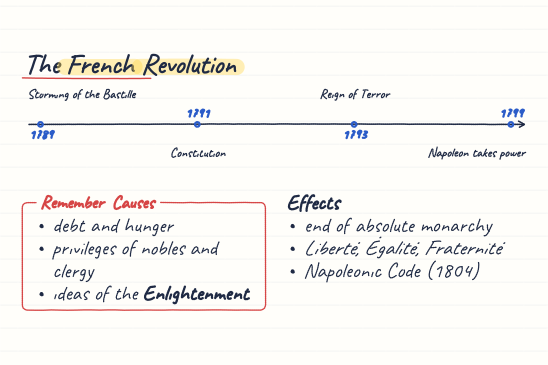
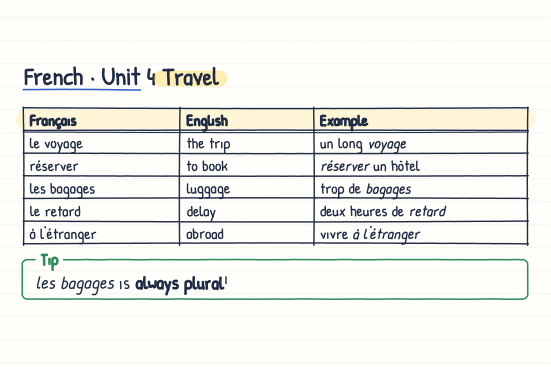
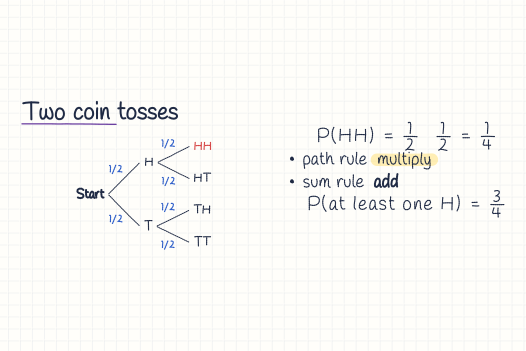
One sheet per subject
Maths with real formulas, biology with labelled cells, history on a timeline, vocabulary in tables. The sheets above came out of Inkside as they are, each in a different hand. The important part stands out when you revise, and in Goodnotes every letter is an editable pen stroke, not a picture of text.
For figures there are 408 drawings prepared in the same hand: cells and organisms, lab apparatus, circuits, forces, optics, landscapes. A sheet asks for one and labels it. A few of them are in the blog post.
How it works
you      "Draw a plant cell, label its organelles and explain photosynthesis."AI       writes a .inkside document: text, layout, formulas, drawings
engine   places everything: coordinates, collisions, labels
pen      every letter and line becomes a stroke, with width, colour
         and a little seeded randomnessout      Goodnotes notebook (editable ink) · PDF · SVG
Every letter, curve, diagram outline and label line ends up as the same kind of Stroke. The exporters only work with that. Goodnotes gets every stroke as editable ink, and coloured fills go into a PDF background.
The .inkside language
The documents are plain text, a bit like Markdown:
---
inkside: 1
title: Biology Notes
paper: grid
ink: navy
---

# The Plant Cell

Plants use photosynthesis to convert
light energy into chemical energy.

$$6CO_2 + 6H_2O \rightarrow C_6H_{12}O_6 + 6O_2$$

```draw
size: 100 x 70
title: Plant Cell
labels: sides

cell = plantcell at (50, 35) size 90 x 60
label cell.nucleus "Nucleus"
```
The AI only says what should be on the page. The engine works out how to draw it. That is the main idea.
The draw scene language
Diagrams have their own small language: shapes, SVG paths, reusable parts, repetition, random scattering and automatic labels. For example:
mito = mitochondrion at (30, 40) size 12 x 6
label mito "Mitochondrion"

scatter 20 dot r 0.4 in cell avoid nucleus
You can point at things like cell.nucleus.top, so labels and arrows find their place without fixed coordinates.
Same input, same sheet
The small imperfections in the handwriting come from a seeded random generator. The same source with the same seed always gives exactly the same strokes, and there are tests for that.
In Inkside Studio you write, check, render, change and render again. The AI changes one part of the source instead of making the whole notebook again.
In ChatGPT
Inkside is also an app inside ChatGPT. Ask it for a study sheet on the French Revolution or your physics formulas with a circuit diagram, and the answer comes back as a sheet in your handwriting, ready for Goodnotes or as a PDF.
Why I built it
Writing a good study sheet by hand takes an evening. With Inkside it takes a minute, and the evening goes into learning instead of copying. You still get a handwritten sheet you can highlight, write on and revise from.
The part I'm proud of is the engine. An AI can write a document, check it, render it as real ink and change one part of it later, without starting over. How the handwriting is made, without a neural network, is in the blog post.